

Tour 2: MIDI
Rosegarden's studio concept stores all the information you need about your MIDI network – what devices you have, what they're plugged in to, what banks, programs and controllers they support.
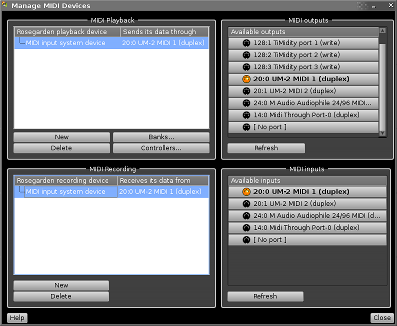
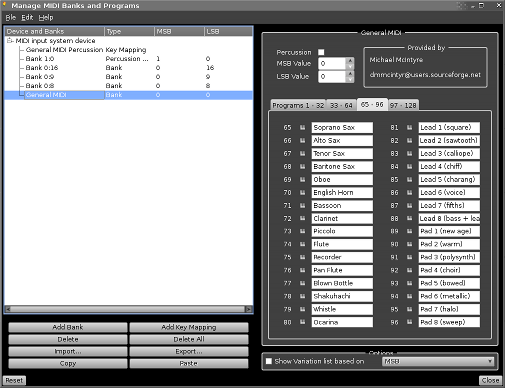
Setting up your studio is easy using our all new device manager to hook things up. Configurations for over 100 well-known MIDI synths are included, or you can enter the details of your own MIDI devices and export the results into a Rosegarden device file to share with other users.
Set up your studio once, and then you can refer to your MIDI devices and their properties by name. For example, right-click on a track label to assign a track to a MIDI device...

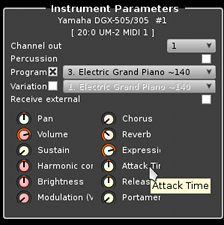
... then you can set programs and control changes on that device using the right names and with different colours for the various controllers.
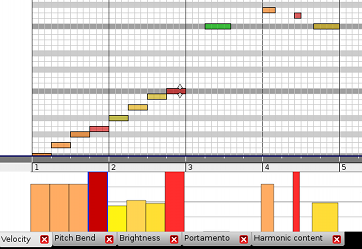
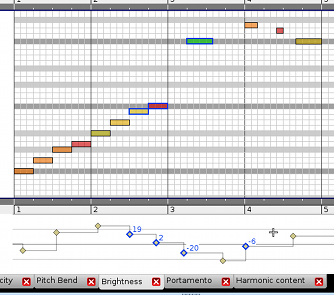
Rosegarden's matrix and notation editors also include rulers for graphically editing control changes, as well as for velocity and pitch bend.
Next: Notation